
Introduction to ClickUp and Google Workspace Synergy
We live in a time when productivity is not about working longer hours but rather about working smarter. ClickUp and Google Workspace have become the hub of contemporary digital workflows, helping teams to collaborate, strategize, perform, and assess work in a smooth way.
ClickUp is an all-round powerful work management tool that can replace various productivity tools. Google Workspace serves as the communication and collaboration pillar of business offering various tools such as Gmail, Google Drive, Docs, Sheets, Slides, and Calendar. When these tools are integrated, they can make everyday life a lot easier.
This megaproductivity guide will walk you through ClickUp integrations with Google Workspace. It will show how different integrations can immensely help teams regardless of their size. From task automation and document management to scheduling and real-time teamwork, we have covered everything that is necessary to optimize workflows and boost productivity.
Why Integrating ClickUp with Google Workspace
Bringing ClickUp into the Google Workspace ecosystem is more than just a nice-to-have feature; it is a strategic move. Fragmented workflows are a common challenge for teams where tasks, documents, emails, and calendars get stored in different places. Such a disintegrated way of working often results in no one meeting deadlines, working twice on the same thing, and communication break-downs.
So what happens when you integrate ClickUp and Google Workspace? You get a central place, or in other words, a single source of truth, where all tasks, files, and conversations live in harmony. This kind of collaboration paves the way for countless possibilities ranging from real-time updates and seamless sharing of information to the creation of tasks automatically. And if that wasn’t enough, teams are less overwhelmed by admin work and therefore more productive.
ClickUp Integration with Google Drive
Efficient and Agile Working with a Unified Source of Information
Teams nowadays are relying on distributed work, which is why coordination and consistency have become crucial. The integration of ClickUp with Google Drive is therefore one of the most powerful toolsets one can have. Besides integrating the different types of Google Docs such as Docs, Sheets, Slides, etc., one can also connect entire Drive folders to tasks in ClickUp, which makes it easier to find files for a certain project or task.
Our productivity has been significantly improved through the ClickUp and Google Drive integration. Sometimes in a project or task, one has to juggle multiple deliverables and assets such as graphics, PDFs, presentations, and the likes. In these situations, this kind of integration is definitely a lifesaver.
Benefits of ClickUp and Google Drive Integration
- Files can be attached directly from Google Drive to the ClickUp tasks
- Documents can be worked on collaboratively and in real-time
- Version control is more effective
- Context switching is reduced
- Team productivity is enhanced
This integration is really a lifesaver if you are a content team, marketer, analyst, or project manager who relies on shared documents.
ClickUp Integration with Google Docs
When Documentation Meets Projects and Tasks
The integration of ClickUp and Google Docs streamlines the documentation process for teams that are document-heavy. By attaching Docs to tasks, the two evolve simultaneously – one does not exist without the other. If you are organizing a project, the different documents that are produced such as meeting notes, project briefs, SOPs, reports, etc. are actually helping to get that project off of the ground.
This connection bridges the gap between projects and documentation. The documentation remains part of the project execution process instead of being left as an isolated document. Team members can work together commenting, editing, and reviewing the document, but they can always hold each other accountable through the task management system of ClickUp.
Key Benefits of ClickUp and Google Drive Integration
- Attach files directly from Google Drive to ClickUp tasks
- Work together on documents in real time
- Better versioning control
- Less context switching
- More productive teams
Sharing documents is a huge part of the work for content teams, marketers, analysts, and project managers, and this integration will help them a lot.
ClickUp Integration with Google Docs
Task-Driven Documentation Workflow
The integration of ClickUp and Google Docs helps to organize processes with a lot of documentation. By linking Google Docs with tasks, docs can be kept up-to-date with the progress of the project. Notes from meetings, project briefs, SOPs, and reports will always be aligned with the tasks that are being done.
Documentation is no longer a distant world thanks to this integration. On the contrary, it becomes a crucial part of the project. Teams can work together by commenting, suggesting edits, and real-time collaborating while still being able to hold people accountable through the ClickUp tasks.
Why This Integration Enhances Productivity
- Access to documents immediately from tasks
- Responsibility and accountability are clear
- Consistency in documentation is improved
- Better coordination and cooperation among teams
If your company is relying heavily on formal documentation, then this is a great productivity enhancer for you.
ClickUp Integration with Google Sheets
Data-Driven Project Management
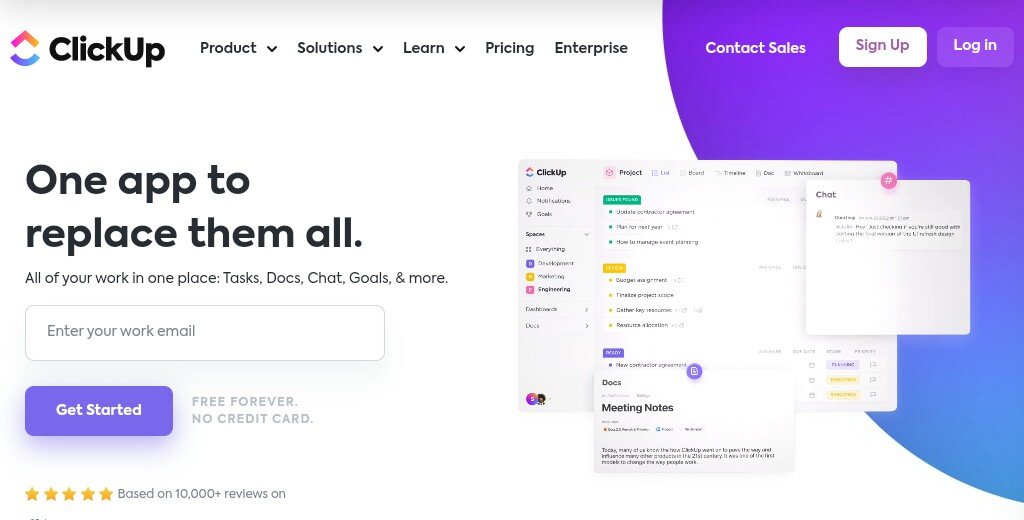
The integration of ClickUp and Google Sheets links task management with data analysis. Task data can be synchronized with Google Sheets so that reports, dashboards, and performance metrics can be created dynamically.
Teams are facilitated by this integration to transfer the task list, task status, priority, and timeline information into Sheets for further use as an identified workflow. In return, the data gathered from Sheets can be utilized to guide the next project decision and improve the workflow.
Use Cases for Google Sheets Integration
- Tracking project performance
- Analyzing resource allocation
- Monitoring budget and making forecasts
- Producing custom reports and analytics
Workforces that draw on data to make decisions can discover a whole new level of potentials through this integration.
ClickUp Integration with Gmail
Emails-To-Tasks Conversion
Despite the fact that email has become one of the major channels for communication, it still remains widely separated from the task management area. ClickUp Gmail integration is the solution to this problem. Basically, it enables the conversion of emails into ClickUp tasks with just one click.
As a result, it would no longer be the case that the requests, approvals, and follow-ups scattered across various conversations become invisible or lost. The emails are perfectly transformed into assigned actions that possess a deadline, priority, and owner.
Advantages of Gmail Integration
- Emails can be instantly turned into tasks
- Follow-ups can be managed better
- Your inbox will be less cluttered
- Accountability is heightened
This integration is a real necessity not only for client-facing teams, support teams, but also for managers who are flooded with emails.
ClickUp Integration with Google Calendar
Unified Scheduling and Task Visibility
With ClickUp Google Calendar integration, the combination of tasks and events is made available in one place. The due dates from ClickUp can be synchronized with the Google Calendar, thus, it will be possible to view the deadlines of your work together with other events such as meetings, and appointments.
Essentially because of this integration, planning ahead has become much easier for teams who can now look at their work alongside their private life commitments. Subsequently, there is a decrease in the likelihood of having scheduling conflicts and at the same time the time management of the organization is getting better.
Key Features of Calendar Integration
- Ability to sync both ways between ClickUp and Google Calendar
- Updated schedules instantly
- More clear visibility for deadlines
- More efficient time utilization
If a team is tasked with multiple projects and also tight schedule deadlines, this integration will make sure that nothing sneaks away unnoticed.
ClickUp Integration with Google Slides
Presentations Management Becomes So Simple
The ClickUp and Google Slides integration enables us to link task-related presentations. This can be a real boon for marketing teams, sales teams, and company leaders who regularly utilize presentations both for communications within the company and for those with the outside world.
By associating Slides with tasks, teams may work on the same presentations, get approvals, and know about the progress all at the same place – ClickUp. This way, presentations become not only ready to be shared but they are also consistent with the set goals of the project and the schedule.
Advantages of the Slides Integration
- Easily accessible presentation material
- More effective team collaboration and feedback
- Setting expectations for approval in a clear way
- Projects become better coordinated
ClickUp Integration with Google Forms
New Tasks Created Automatically From Form Submissions
Through the ClickUp Google Forms integration, all information put in the form will be converted into a task that can be acted upon. This means that customer feedback, onboarding requests, or internal surveys all can be turned into automatically generated tasks in ClickUp.
This is a time-saving integration that avoids error-prone manual transferring of form data into tasks and at the same time guarantees the maximum promptness of handling the requests that come from the submissions. It suits HR, customer support, and operations teams best.
Forms Integration Use Cases
- Employee onboarding requests
- Customer support tickets
- Feedback and surveys
- Project intake forms
Using this integration for automated responses drastically enhances response time and overall operational efficiency.
Security and Permissions Across Integrations
Integrating different platforms raises security issues that can never be underestimated. The partnership between ClickUp and Google Workspace keeps the most stringent security standards, thus the data is very well safeguarded. Through Google and ClickUp’s access controls, permissions are regulated to the extent that organizations continue to be compliant and data integrity is preserved.
By this way, collaboration is smooth and at the same time the management of sensitive information is such that only the right users are given access.
Best Practices for Optimizing ClickUp and Google Workspace Integrations
If you want to get the most out of such integrations, it’s always good to follow best practices:
- Align with each other workflows of different teams
- Implement automation rules to minimize manual work
- Keep consistent naming conventions
- Do permissions and access reviews regularly
- Provide integration feature training to the teams
It is through the embrace of these methods that a company gets to actively harness the synergetic effect of ClickUp and Google Workspace.
Read this article: https://jamasho.com/how-to-set-up-slack-for-business-the-right-way/
Summary
Choosing the best ClickUp integrations with Google Workspace means you are creating a productive ecosystem that is unified, efficient, and scalable in terms of performance. The multitude of operations such as document management, data analysis, scheduling, and communication, which are indispensable for a team have their associated tools integrated resulting in complete freedom to work with no friction and at the highest level of performance.